
Turn everyday curiosity into better learning, useful projects, and career readiness.
From Scrolling AI Reels to Solving Your First Real Problem
It is 8:30pm in the evening. Aarav, a Class 12 commerce student, has opened his phone to take a short break from accountancy.
One reel shows AI creating a presentation. Another promises a perfect resume in seconds. A third claims that a clever prompt can change his future.
He saves all three. Then he returns to the same problem: he still does not understand partnership capital accounts.
Perhaps that feels familiar. You have seen what AI can produce. But how do you use it to improve something in your own life?
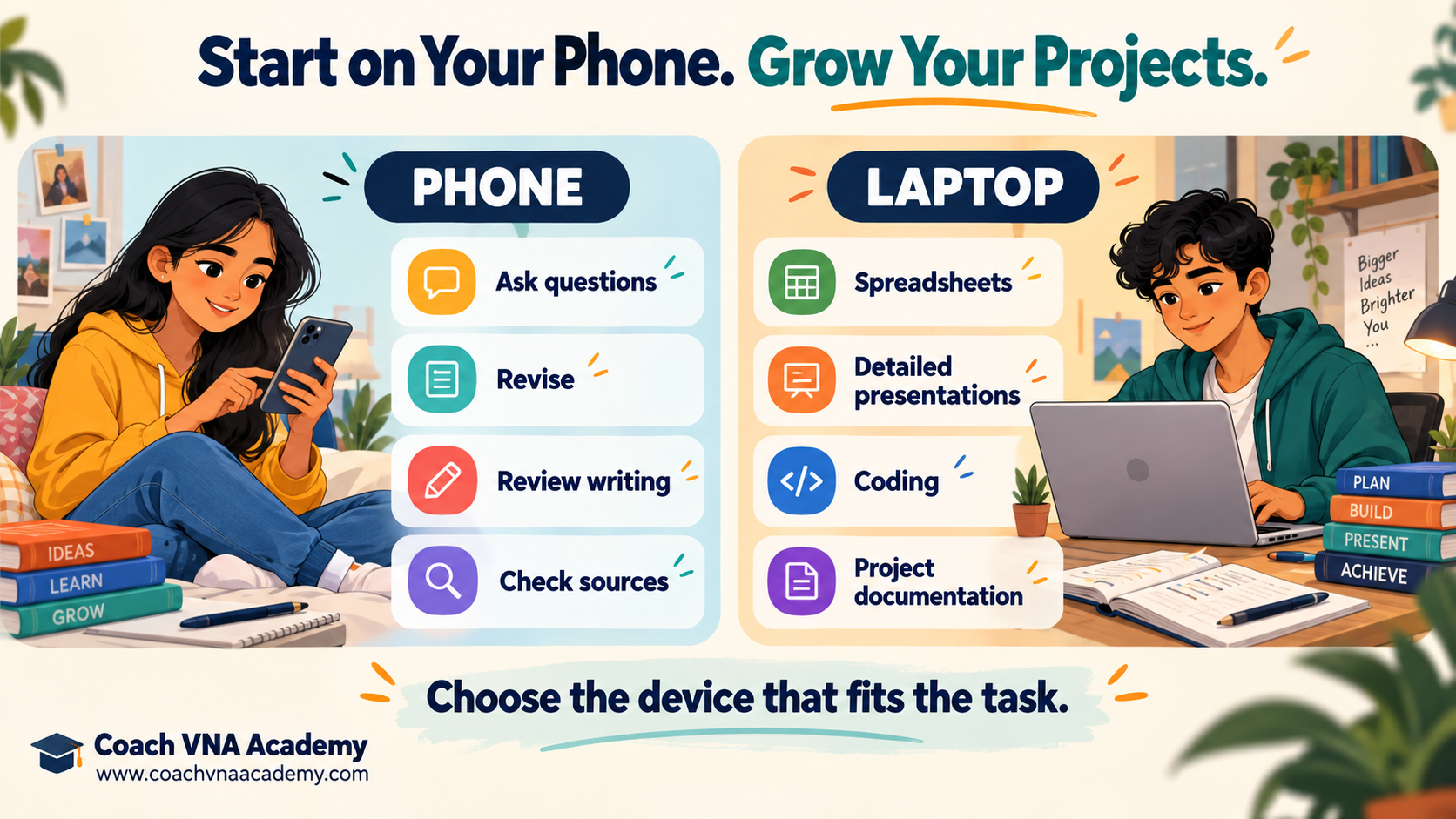
The answer begins with one real task. Ask for help, practise, check the result, and build on what you learn. You can start on a smartphone and move to a laptop when your projects need a larger workspace.
What Are AI Skills, Really?
AI skills are the abilities that help you use artificial intelligence thoughtfully: giving clear instructions, supplying relevant information, checking answers, improving outputs, and applying them to useful work.
A prompt is simply the instruction you give an AI tool. Prompt writing matters, but so does knowing whether the answer makes sense.
Think of three responsibilities:
- Before: Decide what you want to learn or complete.
- During: Ask questions, provide context, and refine the response.
- After: Verify the result and understand what you will use.
A student who spots a wrong calculation has demonstrated an important AI skill. So has someone who turns a confusing answer into a clear, checked explanation.
Why Start Learning AI While You Are Still at School?
You do not have to wait for graduation to practise explaining a problem, researching a topic, or working with data.
Start with schoolwork: understanding economics, reviewing an English paragraph, or preparing a presentation. Those habits can later support college projects, internships, and workplace tasks.
The World Economic Forum’s Future of Jobs Report 2025 places AI and big data, networks and cybersecurity, and technological literacy at the top of employers’ expectations for the fastest-growing skill areas through 2030. This is an employer forecast, not a guarantee of a job.
UNESCO’s student AI framework also emphasises critical judgment, ethics, foundational understanding, and responsible participation. Your ability to question an answer belongs alongside your ability to generate one.
Eight AI Skills You Can Practise in Everyday Life
| Skill | Everyday application | A useful first activity |
| AI literacy | Recognise capabilities and limitations. | Compare an AI explanation with your textbook. |
| Clear prompting | Explain exactly what help you need. | Specify your class, topic, language, and output. |
| Critical judgment | Identify errors and unsupported claims. | Verify three claims or calculations. |
| Research and summarisation | Organise information without losing meaning. | Summarise a supplied passage and check it. |
| Writing and communication | Improve clarity and tone. | Review an email you wrote yourself. |
| Spreadsheet and data skills | Understand formulas and results. | Analyse a fictional budget. |
| Visual communication | Explain ideas through slides and diagrams. | Prepare a short, checked presentation. |
| Responsible workflow design | Decide where AI helps and where you must review. | Map the steps from source material to final work. |
You do not need to master all eight at once. Begin with the skill that solves a problem you already face.
From AI Reels to Real Learning
Reels can introduce interesting possibilities. Their short format may leave out the setup, paid features, failed attempts, or editing needed to get a useful result.
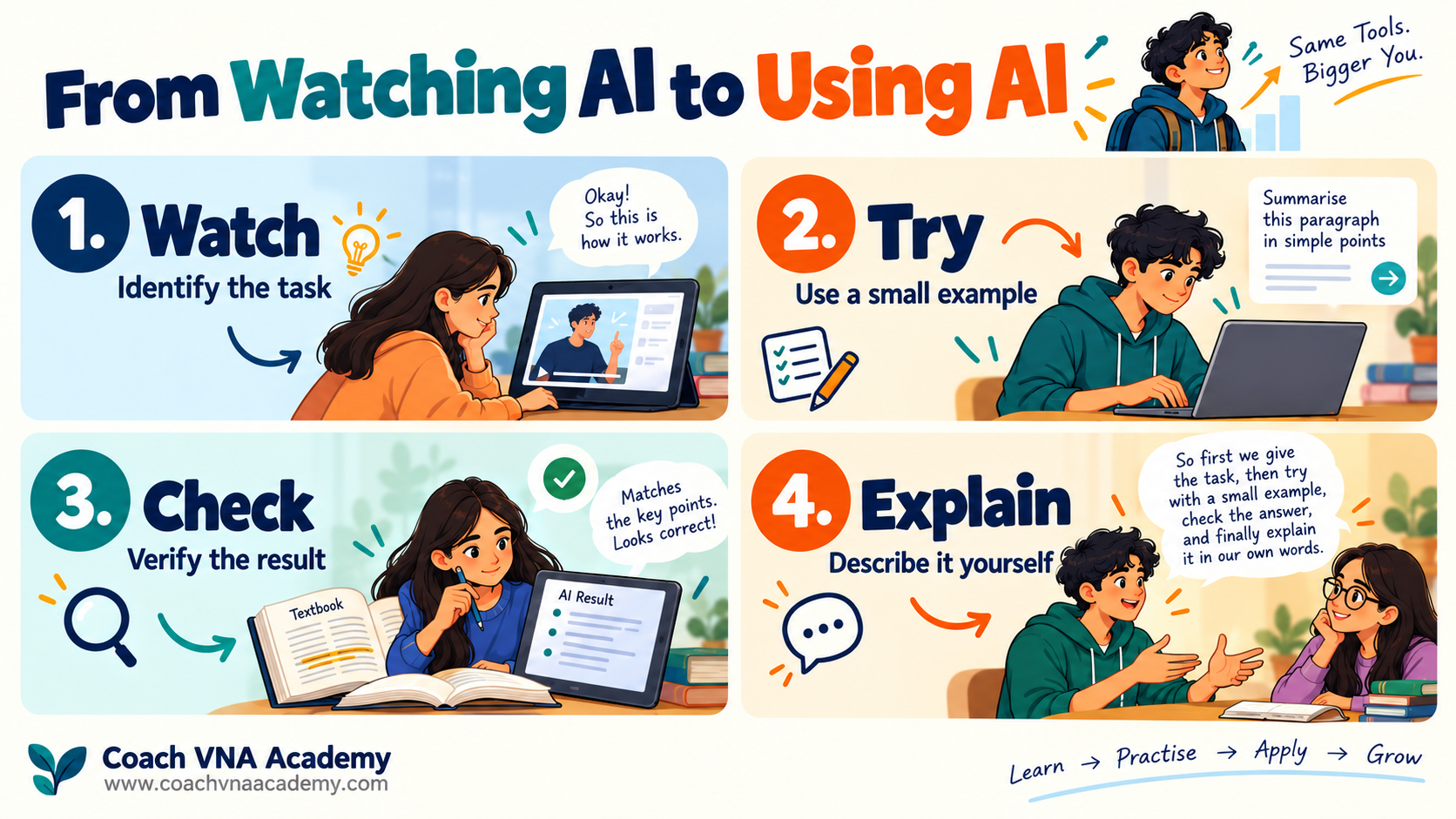
Use this habit: Watch → Try → Check → Explain.
If a reel shows instant study notes, try it with one textbook paragraph. Did the notes preserve the definition? Check whether they missed an important condition. Are the examples accurate?
Then explain the topic without looking at the generated notes. That is a better measure of learning than how quickly the notes appeared.
Start Learning AI on Your Smartphone
For students with access to a personal or shared smartphone, short practice sessions can be a useful starting point. A computer is helpful later, but basic prompting, questioning, and verification can begin on a phone.
Choose one official AI app or website. Follow its age and account requirements. Features can vary by account, region, device, and subscription; do not assume that a feature shown in a reel is available to everyone.
Try a 15-minute routine:
- Choose one concept you found difficult.
- Ask for an explanation at your class level.
- Attempt a practice question before requesting the answer.
- Compare the method with your textbook or teacher’s notes.
- Write one learning point in your own words.
Where voice input is supported, speak your question and check the transcription before sending it. Where image uploads are supported, use a clear photograph and check that handwritten figures and chemical symbols were read correctly. Crop out names, roll numbers, and personal details.
Which AI Tool Should You Use?
| Platform | Purpose | Device guidance |
| ChatGPT | Concept explanations, practice questions, writing feedback, study planning, and project guidance. | Smartphone for everyday practice; laptop or PC for larger tasks. |
| Google Gemini | Concept explanations and interactive learning. | Phone or computer. |
| NotebookLM | Questions and revision grounded in supplied sources. | Phone for revision; computer for organising larger source collections. |
| Canva | Presentation and design drafts. | Phone for simple work; laptop for detailed editing. |
| Perplexity | Web research and finding sources to investigate. | Phone or computer. |
| Microsoft Copilot | Conversational drafting and revision help. | Phone or computer. |
| GitHub Copilot | Understanding, writing, and reviewing code. | Laptop with a supported coding environment recommended. |
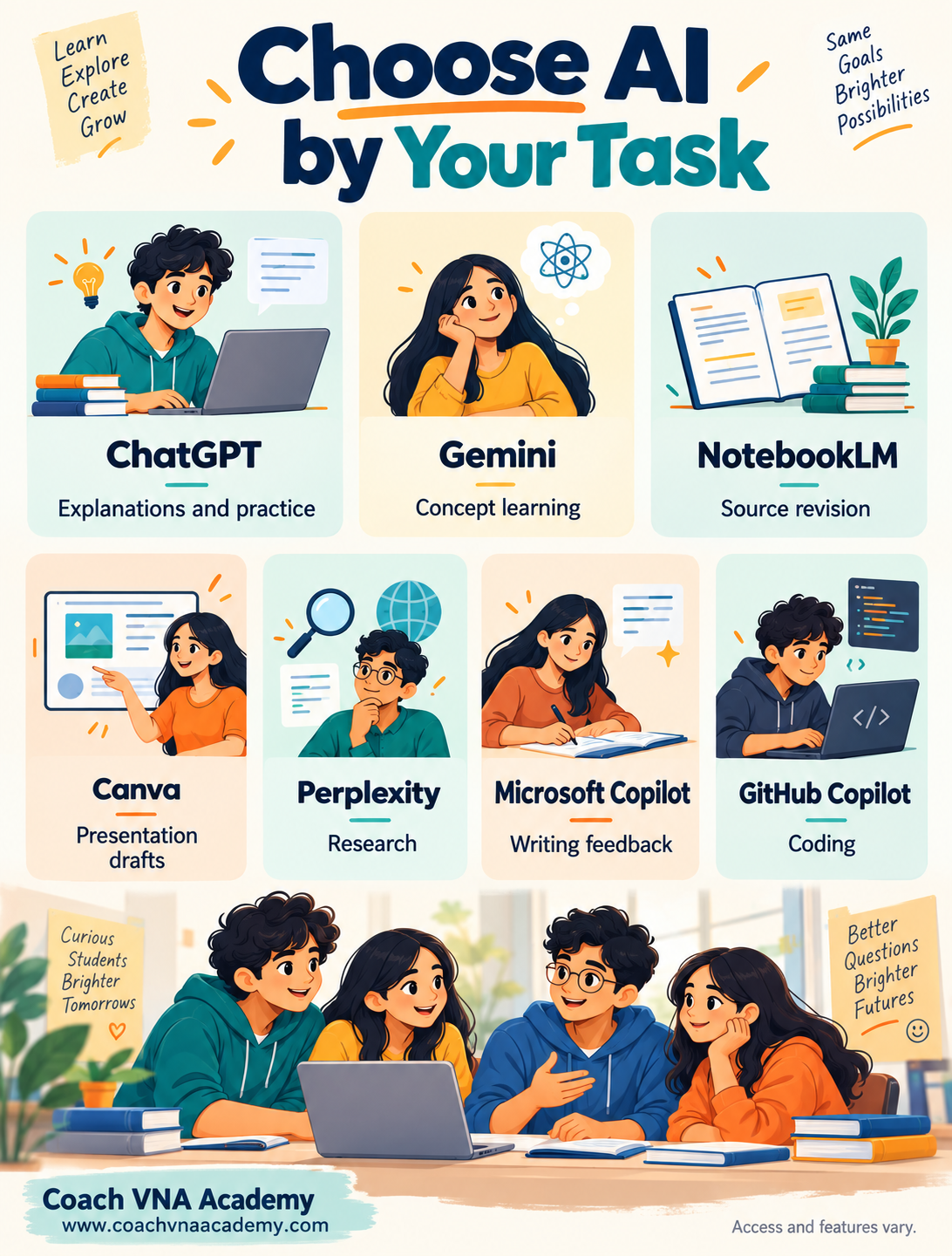
ChatGPT and Gemini offers interactive learning tools. NotebookLM supports source-based questions and mobile Audio Overviews. Canva offers AI presentation drafting, with access dependent on plan and usage. Perplexity provides an AI answer engine; Microsoft offers Copilot web and mobile experiences; GitHub Copilot assists with code and code explanations.
1. ChatGPT: Your Starting Point for Learning with AI
Try the platform: Open ChatGPT
Device: Smartphone, laptop, or PC
Purpose: Understanding concepts, practising questions, improving writing, planning study sessions, and getting guidance for projects.
For students discovering AI through reels, a useful first step is to apply ChatGPT to a topic they are already studying.
Class 12 accountancy prompt:
I am a Class 12 commerce student studying partnership accounts. Explain the difference between fixed and fluctuating capital accounts in simple English, using a small example in Indian rupees. Use the textbook extract below to match my syllabus. Then ask me three questions, one at a time. Wait for my answer before giving the solution, and explain any mistake I make. Textbook extract: [paste extract].
How to practise on your smartphone:
- Open ChatGPT through its official app or website.
- Enter the prompt and relevant textbook material.
- Answer the practice questions yourself.
- Ask follow-up questions about anything unclear.
- Verify the explanation and calculations against your textbook.
Useful follow-up:
Explain it in Hindi, keeping important accountancy terms in English. Give me another question to check whether I understood.
Students from other streams can use the same approach for physics, biology, economics, or English by changing the topic and supplying relevant material.
The learning goal: Finish the conversation able to explain or solve something independently. Check ChatGPT’s answers before using them in assignments or projects.
2. Gemini: Understand a Class 12 Concept
Try the platform: Open Google Gemini
Aarav’s first question was “Explain partnership accounts.” It was too broad for the difficulty he wanted to solve.
A more useful instruction is:
I am a Class 12 commerce student studying partnership accounts. Using the textbook extract below, explain fixed and fluctuating capital accounts in simple English. Use a small example in Indian rupees. Then ask me three questions, one at a time. Wait for my answer before showing the solution. Explain any mistake I make. Textbook extract: [paste extract].
Open Gemini, use a learning option if available, and enter the prompt. Answer independently, then compare the explanation with your textbook.
If an explanation is unclear, ask: “Explain why that entry belongs in this account.” A useful follow-up addresses the gap in your understanding.
For other streams, replace the topic with electromagnetic induction, Mendelian inheritance, or a concept from your own syllabus.
3. NotebookLM: Revise from Your Own Material
Try the platform: Open NotebookLM
When you want revision based on specific material, begin by adding a supported source you are permitted to use.
Using only the uploaded Class 12 biology chapter, create a revision table on Mendelian inheritance. Include each concept, its meaning, and an example from the source. Cite the supporting passage for each row. If the source does not contain an answer, say so. Then ask me five short-answer questions, one at a time.
Create a notebook, add the source, enter the prompt, and open the supporting citations. Where available, an Audio Overview offers another way to review the material.
Check the output against the original chapter. A source-based tool can still miss a qualification or interpret a passage incorrectly.
4. Canva AI: Create a Presentation You Can Explain
Try the platform: Open Canva
For a classroom presentation, use a checked outline rather than asking for impressive-looking slides alone.
Create a six-slide presentation for Class 12 students on “Responsible Use of AI in Learning.” Cover useful study applications, checking answers, protecting personal information, an active-learning example, and a final checklist. Use readable text and no more than four short bullets per slide. Do not invent statistics or quotations.
Enter this in Canva’s AI presentation feature if your account has access. Review the facts and layout, add your examples, and rehearse.
If the AI feature is unavailable, create an outline in Gemini and place the checked content into a Canva template.
Your goal is to understand the slides well enough to explain them and answer questions.
5. Perplexity: Research a School Project
Try the platform: Open Perplexity
For a project on electronic waste, specify the sources you want and how you will check them.
Help me research electronic waste in India for a school project. Find recent government or recognised institutional sources. Separate definitions, environmental concerns, and practical actions students can take. Include source links and publication dates where available. Identify any information you cannot verify.
Open the links, inspect the dates, and confirm that the sources support the claims. Write the final summary in your own words.
A source link is a route to evidence. It does not automatically make the surrounding answer correct.
6. Microsoft Copilot: Improve Your Writing
Try the platform: Open Microsoft Copilot
Write your first draft yourself. Then ask for feedback that teaches you something.
I am a Class 12 student requesting permission for a career-awareness session. Review my email below. Explain three improvements to clarity and tone, then provide a revised version of no more than 150 words. Preserve my meaning. Do not invent dates, approvals, or speaker details. Draft: [paste draft].
Compare the versions. Notice how the request becomes clearer or a sentence becomes shorter. Choose the changes that preserve your voice.
A fresher can apply the same method to an internship enquiry, using genuine qualifications and experience.
The Prompt Formula You Can Reuse
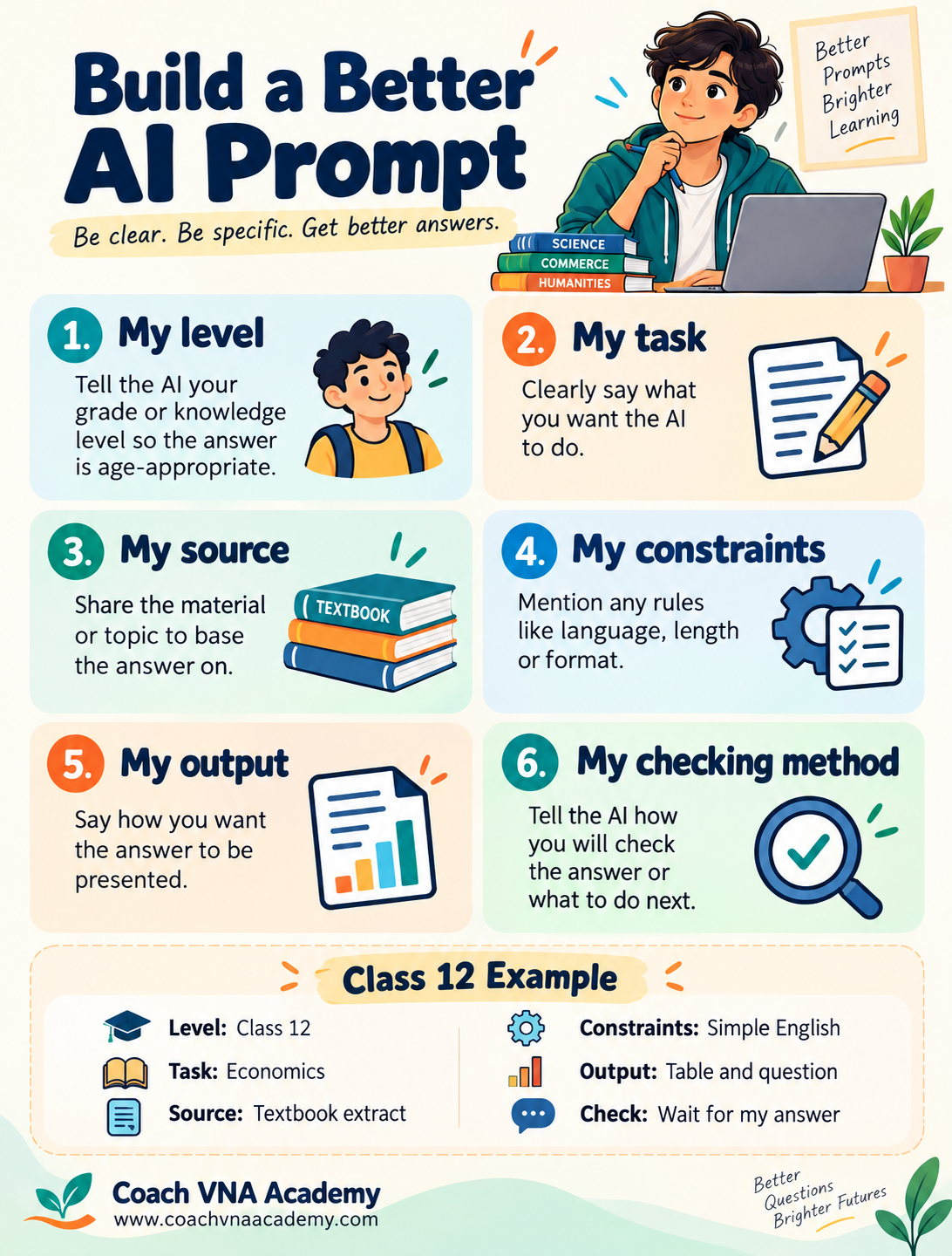
My level + My task + My source + My constraints + My output + My checking method
| Part | Example |
| Level | “I am a Class 12 student.” |
| Task | “Help me understand changes in demand.” |
| Source | “Use the textbook passage below.” |
| Constraints | “Use simple English and familiar examples.” |
| Output | “Give a comparison table and one question.” |
| Checking method | “Wait for my answer and explain any mistake.” |
You can ask for Hindi explanations while keeping important subject terms in English. For English practice, ask the tool to explain improvements before rewriting.
If you do not get a useful response, refine the instruction. Describe what was missing rather than repeatedly asking the same broad question.
The task comes first. Here is a practical starting map.
Move to a Laptop When Your Project Grows
A laptop gives you room to compare sources, edit longer documents, work with spreadsheets, and test code.
Learn Spreadsheets with AI Guidance
Create a fictional sales sheet in Excel or Google Sheets. Ask Gemini:
I am learning spreadsheets. Quantity is in column B and Unit Price is in column C, with data in rows 2–11. Explain the formula for revenue in D2 and how to copy it down. Then explain how to calculate total revenue in D12. Give a numerical example I can check manually. Teach one step at a time.
Enter and test the formulas yourself. This workflow uses AI for guidance; it does not assume that the chatbot directly edits your spreadsheet.
Learn Coding with GitHub Copilot
Try the platform: Open GitHub Copilot
If coding interests you, start with a small project in a supported environment.
I am a beginner learning Python. Help me build a three-question quiz with a final score. First explain the approach without writing the complete program. Guide me one step at a time. Explain new concepts and ask me to predict what each section will do before I run it.
Run the program and test correct answers, incorrect answers, and unexpected input. Learn why a correction works.
Coding is one possible route. Students can also build useful skills through research, writing, design, and data projects.
A 30-Day Plan to Begin
| Period | Focus | Small outcome |
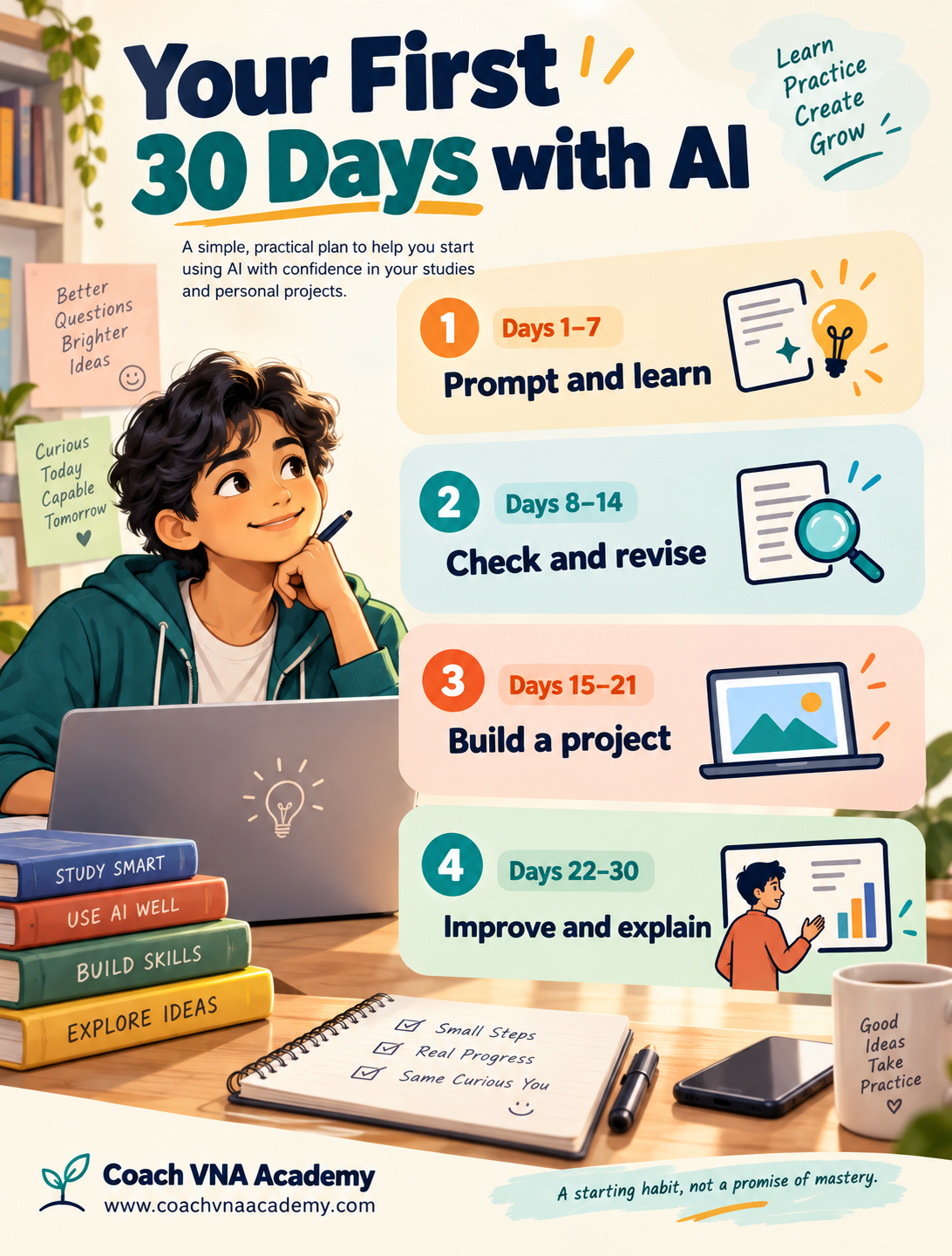
| Days 1–7 | Clear prompts and concept learning. | Five prompts with notes on improvements. |
| Days 8–14 | Source checking and self-testing. | One verified revision sheet. |
| Days 15–21 | A subject-related project. | A presentation, budget sheet, report, or quiz. |
| Days 22–30 | Review and documentation. | One project you can explain independently. |
Spend a manageable amount of time each day. This plan starts a habit; it does not promise mastery in a month.
A school student might create a revision resource. A college student might analyse sample data or prepare a checked comparison table from prescribed texts. A fresher might complete a project relevant to an entry-level role.
Show Your Learning Through a Small Portfolio
Save the final work with a short explanation:
- What problem did you address?
- What sources or sample data did you use?
- How did AI help?
- What did you correct?
- What can you now explain or do independently?
For example, “Created a fictional sales worksheet, used AI to understand formulas, and manually verified the calculations” gives a clearer picture than “AI expert.”
Your evidence should match your actual ability.
Common Mistakes That Slow Your Progress
Copying without understanding: Try the question yourself and explain the final answer.
Trusting confident wording: Check calculations, citations, and subject-specific details.
Uploading unnecessary personal information: Use fictional data for practice and remove identifying details.
Using AI against school rules: Follow your institution’s expectations and disclose assistance when required.
Chasing every new tool: Give one useful workflow enough practice to become a skill.
Believing income or job guarantees: Judge learning resources by the skills and evidence they help you develop.
Your Next Step: Make AI Part of Purposeful Daily Learning
By the end of that evening, Aarav’s useful outcome was small: he could explain the difference between two types of capital accounts and solve a practice question. He also noticed an unclear answer and asked a better follow-up.
That is a meaningful start.
Tomorrow, choose one real task: understand a concept, improve an email, check a claim, or organise a small budget. Use AI for assistance, verify the result, and record what you learned.
Over time, let your routine grow: ask clearly, practise actively, check carefully, create something useful, and explain your work.
Your future growth begins with the next problem you learn to solve.
Frequently Asked Questions
Yes, You can begin with prompts, explanations, writing feedback, research, and revision on a phone. Larger spreadsheets, detailed designs, and coding projects are usually easier on a computer.
No. Prompting, checking information, communication, and source-based learning are useful starting points. Coding is an additional path.
Choose one that fits your immediate task and account eligibility. Practise learning and verification before adding more tools.
First check whether the accessible features meet your needs. Consider payment only when a specific limitation affects a project you regularly do.
No. AI can help you understand difficult concepts, practise questions, and revise lessons, but it can also make mistakes. Use it alongside your prescribed textbooks and your teacher’s guidance, and check important answers against reliable study material.
Name a genuine application and the work you completed. Be ready to explain your method, corrections, and contribution.